

Introduction
Choosing the right website builder is one of the most important decisions you'll make for your real estate business.
Get it right, and you'll have a powerful marketing tool that generates leads.
Get it wrong, and you'll waste thousands of dollars, countless hours, and end up stuck with a platform that doesn't grow with your business..
That's why we're cutting through the noise to show you the best real estate website builders that actually work for real estate professionals in 2026 and beyond.
Start With Your Brand Identity First
Before you even think about picking a website builder, you need to establish your brand identity and strategy. This might sound like extra work, but it's the foundation everything else is built on.
You don't need a comprehensive 50-page brand strategy document. But you should know the basics: Who are you targeting? What makes you different from other agents in your area? What's your visual style? What tone do you use when communicating with clients?
Having these fundamentals clear will make every decision easier. From choosing colors and fonts to writing copy and creating content, everything flows from your brand identity. More importantly, your marketing will be significantly more effective and you'll get better results because you're presenting a consistent, compelling message to potential clients.
Skip this step, and you'll end up with a generic real estate site that looks like every other agent's site in your market.
The Problems With Popular Website Builders
We won't recommend the usual suspects like Wix or WordPress. There's a good reason for that.
WordPress powers a large chunk of websites on the internet. It's been around since 2003, which means it had a massive head start. But being old isn't always an advantage in the tech world. WordPress was built for blogging, not modern business websites.
The platform has become bloated and outdated. You need constant updates, security patches, and plugin management just to keep things running. Performance is often sluggish, and achieving a modern, professional design requires technical knowledge or hiring a developer.
Wix falls into a similar category. While it's more user-friendly than WordPress, it comes with limitations. Your design options are restrictive, SEO capabilities are limited, its a bloated platform with tons of features that you won't use, and you'll quickly hit walls and performance issues when you want to scale your site.
There has been a significant shift toward modern website platforms in recent years. These newer platforms were built from the ground up with today's web standards, mobile responsiveness, and user experience in mind. They're faster, more secure, and far easier to use.
The Problems With Real Estate-Specialized Website Builders
You'll find plenty of articles recommending real estate-specific platforms.
But here's the problem.
You don't actually own your website with these platforms. You're essentially leasing it. These companies charge hefty setup fees (often $2,000 to $5,000 or more) plus monthly maintenance fees that can run $200 to $500+ per month.
What are you getting for that money?
Usually a templated site with minimal customization that's built on the backend of WordPress (Yes, the same platform we just explained why you should avoid).
They're just wrapping WordPress in a prettier package and charging you premium prices for basic maintenance.
When you want to leave, you can't take your website with you. You have to start from scratch. You're locked into their ecosystem, paying monthly fees forever, with limited control over your most important marketing asset.
Our Recommendations Are Battle-Tested
The best website builders we're recommending aren't random picks from a list. We've extensively tested these platforms and used them on dozens of client projects.
We know exactly what works, what doesn't, and which platform fits different needs and skill levels. We've seen these websites bring traffic and generate leads. We've also dealt with their limitations and know how to work around them.
This is real-world experience, not theoretical advice.
The 3 Best Real Estate Website Builders
1. Squarespace (Easiest to Use)
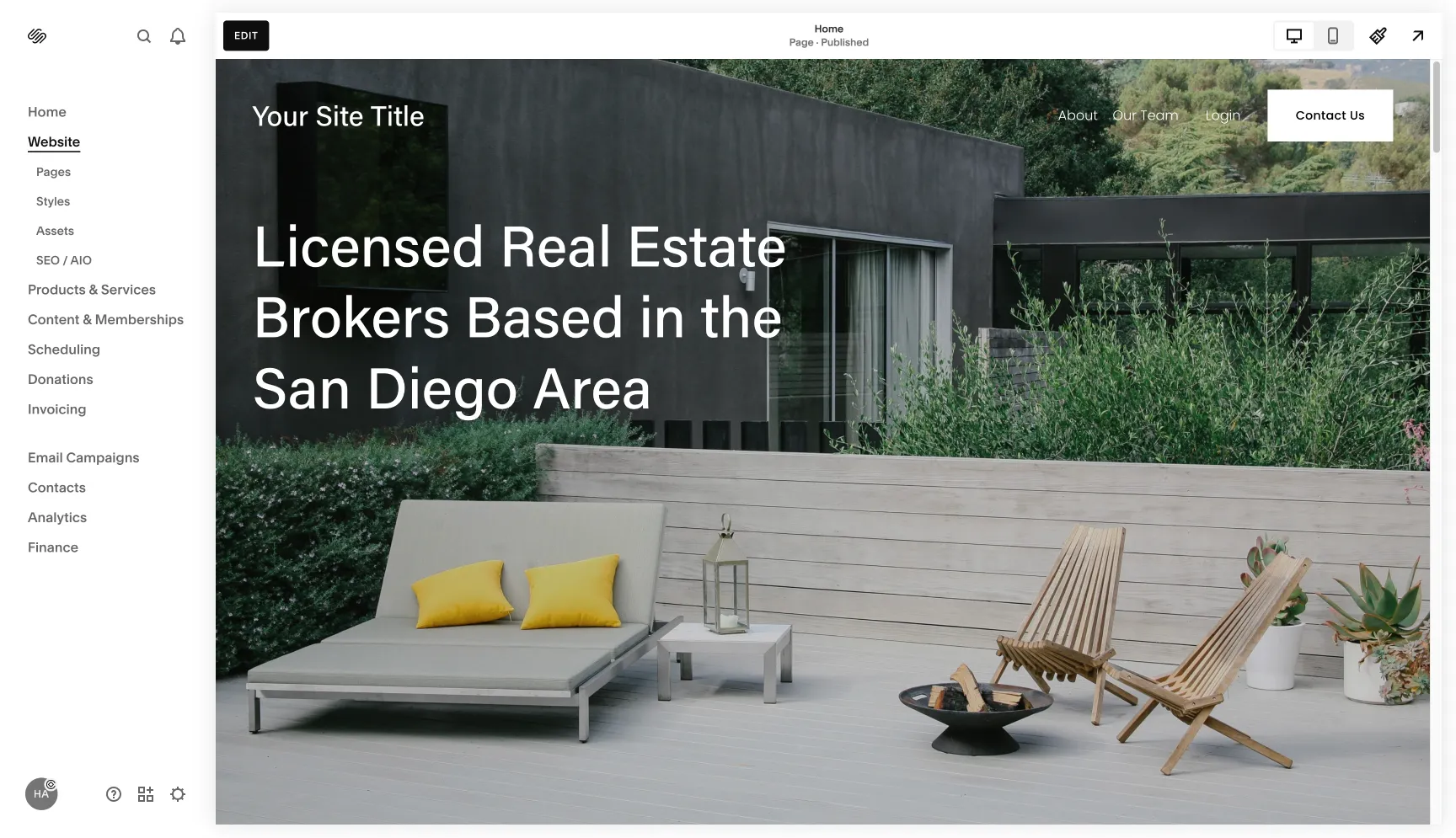
Squarespace is the best option if you want a beautiful, professional website without touching a line of code. It's an all-in-one platform that includes everything you need: website builder, hosting, templates, marketing tools, and analytics.
The platform is designed for visual thinkers. You can see exactly what you're creating as you build it, and the templates are genuinely stunning right out of the box. For real estate agents who want to get online quickly with a polished presence, Squarespace delivers.
What makes Squarespace unique:
- Incredibly intuitive drag-and-drop interface
- Award-winning templates specifically designed for visual industries
- Built-in SEO tools and analytics
- Mobile optimization is automatic
- Integrated scheduling and contact forms
- Email marketing capabilities included
Pros:
- Easiest learning curve of any professional platform
- Beautiful templates that look expensive
- All-in-one solution means no separate hosting or plugin costs
- Excellent customer support with live chat
- Built-in e-commerce if you want to sell guides or courses
- Regular automatic updates and security patches
Cons:
- Less design flexibility than Framer or Webflow
- Limited third-party integrations compared to other platforms
- Template switching requires rebuilding your site
- Cannot export your site to another platform easily
- Advanced customization requires CSS knowledge
Best for: Real estate agents who want a professional website quickly without technical complexity. If you value ease of use over absolute design control, Squarespace is your platform.
2. Framer (More Design Control)
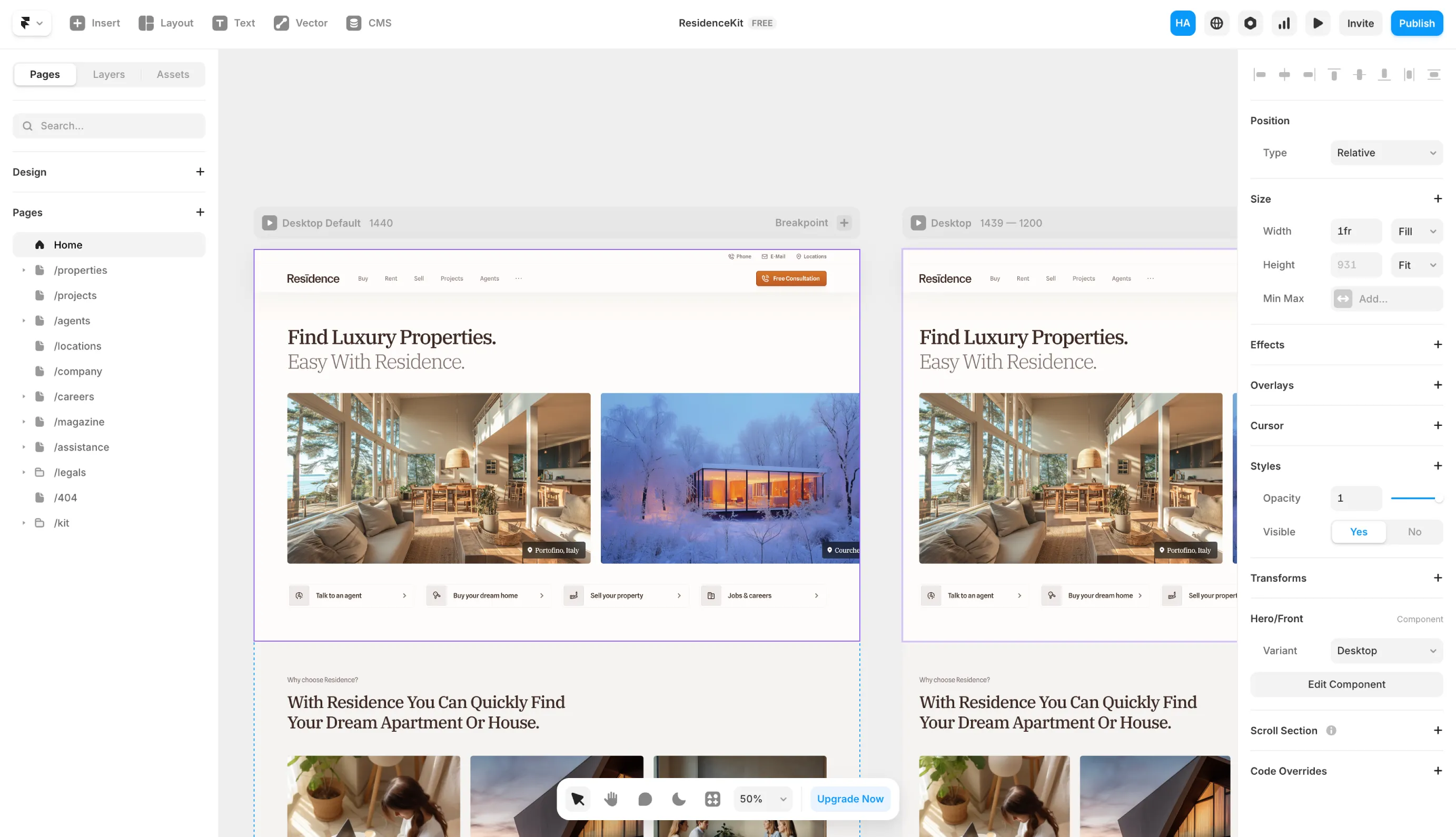
Framer started as a prototyping tool for designers and evolved into a powerful website builder. It gives you significantly more design freedom than Squarespace while remaining more approachable than Webflow.
This platform is perfect if you have some design sensibility and want your website to stand out with custom animations, unique layouts, and interactive elements that make visitors remember you.
What makes Framer unique:
- Design-first approach with powerful visual controls
- Advanced animation and interaction capabilities
- Component-based building for consistency
- Real-time collaboration features
- Lightning-fast performance out of the box
- Modern, clean interface that designers love
Pros:
- Excellent balance between ease of use and design flexibility
- Sophisticated animations without coding
- Super fast loading speeds
- Responsive design controls are intuitive
- Great for creating unique, memorable websites
- Active community and regular feature updates
- Built-in CMS for managing website content database.
Cons:
- Steeper learning curve than Squarespace
- Smaller template marketplace
- Fewer built-in marketing tools than Squarespace
- Some features still being developed
- Can be overwhelming if you're not comfortable with design concepts
Best for: Real estate professionals who want a distinctive website that reflects their unique brand. If you're willing to invest a bit more time learning the platform to achieve custom designs that set you apart, Framer is excellent.
3. Webflow (Most Advanced)
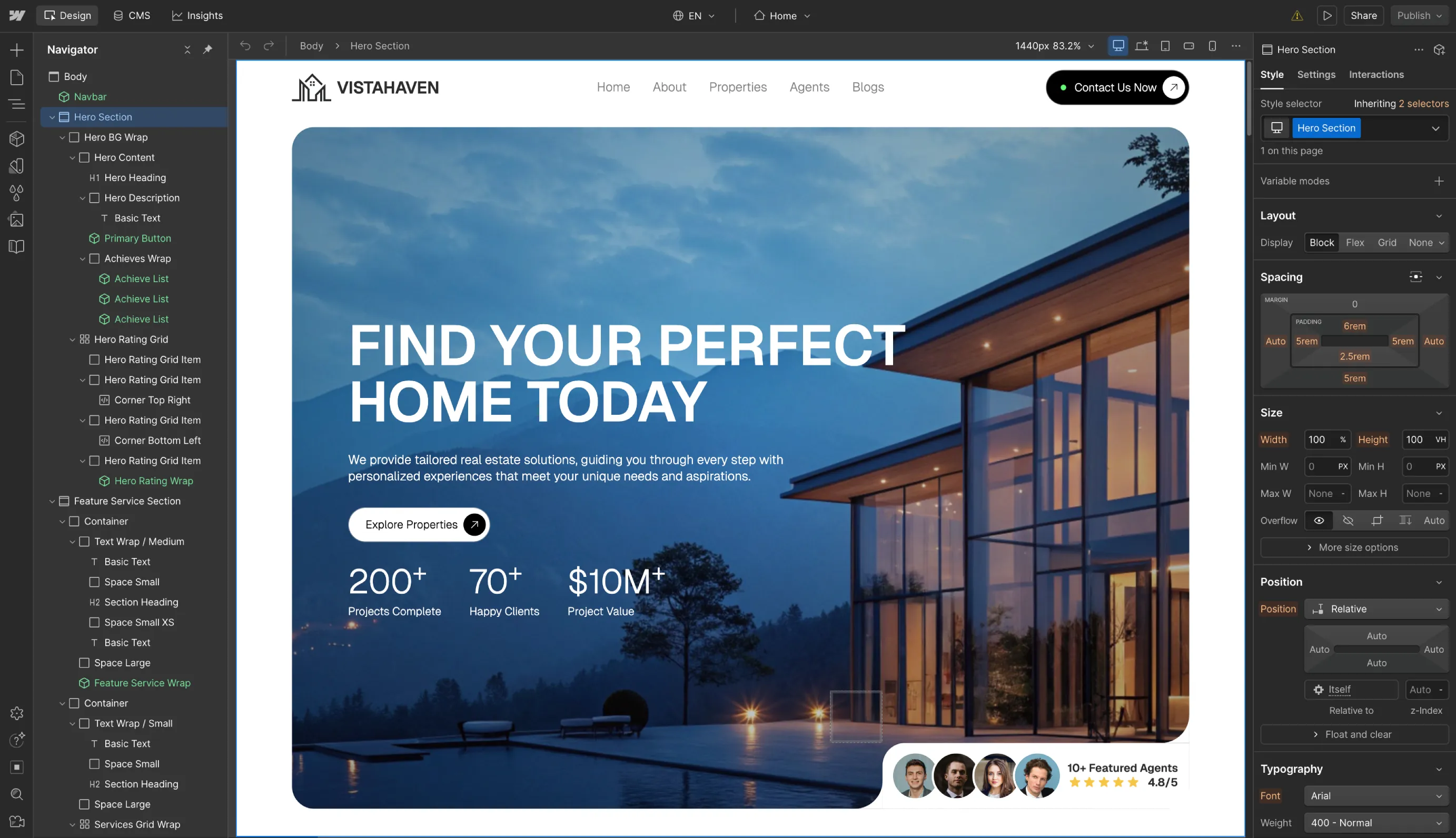
Webflow is the most powerful platform on this list. It gives you complete control over every aspect of your website's design and functionality. Think of it as having developer-level capabilities without needing to be a developer.
This platform is developer-focused but uses a visual interface. You're building with the same precision and flexibility as custom code, but you're doing it visually. That means you can create absolutely anything you can imagine.
What makes Webflow unique:
- Complete design freedom with visual development
- Professional-grade CMS for complex content
- Advanced interactions and animations
- Clean, semantic code output
- Powerful hosting infrastructure
- Enterprise-level capabilities for growing businesses
Pros:
- Unlimited design possibilities
- Pixel-perfect control over every element
- Best-in-class CMS for managing multiple listing types
- Excellent SEO capabilities
- Can handle complex websites with many pages
- Export your code if you ever want to leave
- Strong community and extensive learning resources
Cons:
- Significant learning curve
- Can be intimidating for beginners
- More expensive than other options at higher tiers
- Requires understanding of web design concepts
- Easy to over-complicate things if you're not careful
Best for: Tech-savvy real estate professionals or teams with dedicated marketing staff. If you want complete control, plan to scale significantly, or need advanced features like custom listing databases and complex filtering, Webflow is worth the investment in learning.
Making Your Choice
Each of these platforms can create an outstanding website. The best real estate website builder depends on your technical comfort level, design ambitions, and how much time you want to invest.
- Choose Squarespace if you want to launch quickly with a professional site and prefer simplicity over advanced features.
- Choose Framer if you want your website to have unique design elements that make you memorable and you're comfortable with a moderate learning curve.
- Choose Webflow if you need maximum flexibility, plan to scale your real estate business significantly, or have someone technical on your team.
Need Expert Help?
Building an effective real estate website requires more than just choosing the right platform. It requires understanding lead generation, conversion optimization, SEO, and what actually makes potential clients reach out.
We're a real estate marketing company that specializes in building custom real estate websites designed to generate leads. We've built sites using these exact platforms, and we know what converts visitors into clients.
If you want a professionally designed website that truly represents your brand and generates leads, contact us for real estate web design services. We'll handle the technical details while you focus on what you do best: selling real estate.
Frequently Asked Questions
Can I build a website myself or should I hire an expert?
It depends on where you are in your real estate career and what you need from your website.
If you're just starting out or working with a limited budget, building your own site is absolutely doable. Platforms like Squarespace and Framer have tons of real estate website templates that you can customize yourself. You'll save money and still end up with a professional-looking site.
However, if you're more established or run a large brokerage with custom requirements, hiring a website expert is the smarter investment. Complex features, custom integrations, and unique design elements require expertise that will save you time and deliver better results.
How much do these platforms cost per month?
The pricing across all three platforms is pretty similar. You're looking at anywhere from $10 to $100 per month, depending on which platform you choose and what features you need.
The entry-level plans work fine for most agents getting started, while the higher-tier plans unlock additional features like advanced analytics, e-commerce capabilities, and priority support.
Check out the pricing pages for Squarespace, Framer, and Webflow directly to see which plan fits your needs and budget.
How long does it take to build a website on each platform?
Timeline varies significantly based on the platform you choose and how customized you want your site to be.
On the fast end, you can launch a Squarespace template site in one or two days if you're just customizing an existing template. If it's your first time building a website, expect closer to one or two weeks to get everything looking right.
For a fully custom website built by an expert on a platform like Webflow, the process typically takes 6 to 8 weeks. This includes strategy, design, development, content creation, and testing.
So the answer ranges from same-day to two months. It really depends on your approach and requirements.
Do these platforms work well on mobile devices?
Yes, all three platforms can be highly optimized for mobile screens. Mobile responsiveness is built into every template and design.
That said, Framer and Webflow require more set up upfront and they give you more control over the mobile experience. You can fine-tune spacing, adjust layouts differently for mobile versus desktop, and optimize performance even further if you want that level of precision.
For most agents, the automatic mobile optimization on any of these platforms will work perfectly.
Which platform is best for SEO and Google rankings?
SEO isn't really platform-specific for the most part. All three platforms we recommend cover the foundational SEO elements you need: fast loading speeds, mobile optimization, clean code, customizable meta titles and descriptions, and proper heading structure.
Webflow does offer more granular SEO control, but that's more like icing on the cake. A simple, well-optimized website can absolutely outrank a larger, more complex site if the SEO fundamentals are done right.
The bigger factor in SEO success is digital recognition. The more quality websites link to yours, the more people engage with your content, and the more value you provide, the better your rankings will be. Focus on creating helpful content and building your reputation rather than obsessing over platform features.
Can I integrate IDX/MLS listings on these platforms?
Yes, you can integrate IDX on all three platforms, and the setup isn't overly complicated.
Webflow offers the most seamless integration because of its advanced capabilities, though you'll likely need a developer to set it up properly. Squarespace and Framer can handle IDX integrations as well through third-party widgets and embed codes.
Keep in mind that adding IDX affects your website's performance and loading speed, so make sure it's actually necessary for your business before adding it.
Do I need an IDX on my website?
We only recommend using IDX if you're an established brokerage that already has significant website traffic.
For solo agents, there's little to no benefit to having IDX on your site, and it can actually hurt you. Here's why: people prefer using popular real estate portals like Zillow or Realtor.com where their searches and preferences are already saved. Adding IDX to your site can slow down performance and creates a feature nobody will actually use.
As an agent, your focus should be on building your personal brand and showcasing your expertise, not trying to replicate Zillow. Let the big portals handle listing searches while you focus on demonstrating why someone should choose you as their agent.
Which IDX platform do you recommend?
If you've determined that IDX makes sense for your business, we recommend IDX Broker.
It offers extensive design customizability and feature flexibility that works with any website platform. You can match it to your branding, control which listings display and how, and integrate it relatively smoothly compared to other IDX providers.